Upload a PDF or Word file
Add a PDF or DOCX to your private Learning Center library. Scanned PDFs are read with OCR. Your files stay yours; nothing is shared or used to train AI.
PDF to course
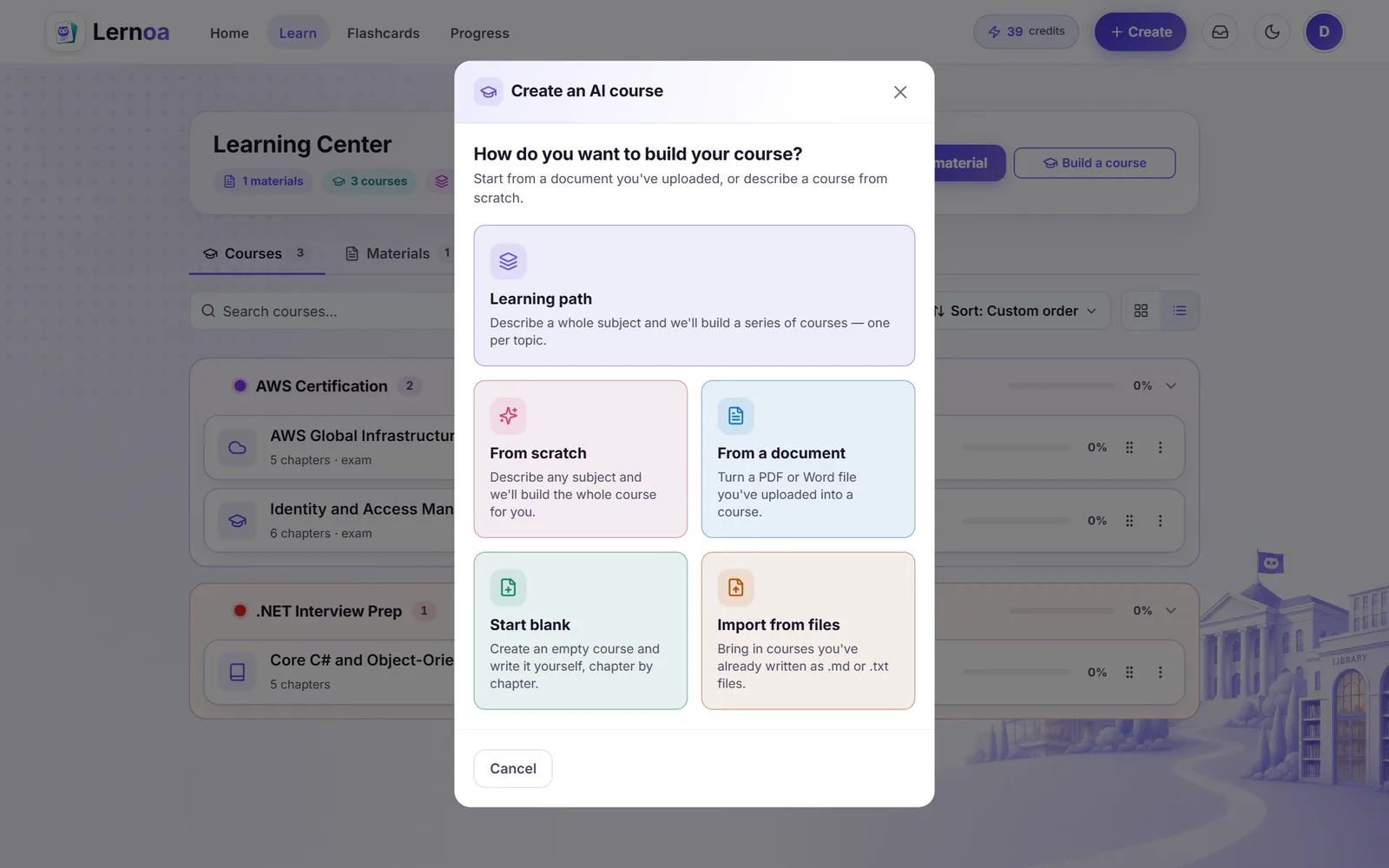
Upload a PDF or Word file to Lernoa and its AI builds a structured course from it: chapters, a quiz for each chapter and a final exam. Your first full course is free once you verify your account, and studying any course you build is free.
Anyone who has a document they need to learn, not only read.
Export the slides as a PDF and get chapters to read, a quiz for each chapter and a final exam, instead of a deck you have to turn into a study plan yourself.
Upload one chapter, or your own typed notes saved as a Word file, and study a course built around exactly that material.
A product manual, a handbook or a training document becomes a course you can work through at your own pace, with a final exam to check that it stuck.
Upload the file, answer a few questions, then study a course built from your own material.
Add a PDF or DOCX to your private Learning Center library. Scanned PDFs are read with OCR. Your files stay yours; nothing is shared or used to train AI.
The AI asks a few questions about your level and what to focus on, then shows you the plan. Choose 3 to 20 chapters or let the AI decide, and edit the plan before anything is built.
Chapters, a quiz for each chapter and a final exam, written from your document. It builds in the background, so you can leave the page.
Read it, take the quizzes, press Listen, ask the AI about it or turn a passage into flashcards. Studying is free.
A course of 3 to 20 chapters. You choose the number, or let the AI decide; the default is 5.
Each chapter has its own quiz, and the course ends with a final exam graded on the server.
Every chapter and quiz question can be read aloud in a natural AI voice. Audio for the first chapter of every course is free. Listen to your courses
Ask the AI about the course or the document and get answers with chapter or page citations. Free within a daily allowance. The AI study assistant
Highlight any passage while you read and turn it into a flashcard, scheduled for review with spaced repetition.
For a course of two hours or more, finishing every chapter and passing a timed exam earns a free Lernoa Certificate. It is a record of completing the course, not an accredited qualification. How the certificate works
PDF to course works well when the document has real text to build on. Some honest limits:
Your first full AI course is free once you verify your account, up to 10 chapters at Lite or Standard quality. You also get 3 credits on us, which expire 30 days after they are granted.
After that, building a course costs 1 credit per chapter at Standard quality. Lite uses about half as many credits per chapter; Premium and Frontier use 1.5 and 2 times as many and unlock with your first credit pack. The app shows the exact cost before it builds anything. A full 10-chapter course at Standard quality is about NZ$3.50.
| Chapters | Credits at Standard quality |
|---|---|
| 3 | 3 credits |
| 5 (the default) | 5 credits |
| 10 | 10 credits |
| 20 (the most) | 20 credits |
Credits come in one-off packs: NZ$9 for 20 credits, NZ$21 for 60 and NZ$45 for 150 (US$5, US$12 and US$25). Purchased credits never expire, nothing renews, and there is no subscription for individual learners. Uploading your file and studying the finished course, with its quizzes, final exam, flashcard reviews and spaced repetition, are free.
Yes. Upload a PDF or DOCX file, answer up to three quick questions, and the AI builds a course of 3 to 20 chapters with a quiz for each chapter and a final exam graded on the server. You choose the number of chapters or let the AI decide; the default is 5.
Your first full AI course is free once you verify your account, up to 10 chapters at Lite or Standard quality. After that it costs 1 credit per chapter at Standard quality, from one-off packs starting at NZ$9 for 20 credits, and the app shows the exact cost before it builds. Uploading the file and studying the finished course are free.
Yes. Scanned pages are read with OCR. A very poor scan, such as a faint, skewed or low-resolution page, can read badly, and the course can only be as good as the text the AI can read, so a cleaner copy gives a better course.
PDF and DOCX only. If your material is in another format, save or export it as a PDF first.
Yes. AI-written courses can contain mistakes or leave things out, so check anything critical against your original document. Lernoa's course chat answers from your material and cites the chapter or page it used, which makes it quick to check.
Documents you upload are private to your account and are not used to train AI models. AI generation runs on Anthropic's Claude models, per request, with Amazon Bedrock as the backup. The privacy policy explains exactly how your data is handled and how to delete it.
The AI course generator page covers building a course from a document or from a typed topic. This page is only about the document route. PDF to flashcards turns a document into a flashcard deck instead of a course.
Your first full course is free once you verify your account. Studying is always free. No subscription, no time limit.
Start free