
Open a chapter
Open any chapter of a course: one Lernoa's AI built from your document or a topic, one you imported, or a ready-made certification course.
Audio learning
Lernoa reads every chapter and quiz question of your course aloud in a natural AI voice, with the text highlighted as it goes, so you can study on a commute or a walk. Audio for the first chapter of every course is free; each further chapter costs 2 credits, once, and then replays for free.
Press Listen on a chapter and Lernoa reads it to you.
The passage being read is highlighted, so you can glance at the screen when something needs to be seen.
Change the playback speed to suit the material and your pace.
Control playback from the lock screen of your phone while you study on the move.
Narration works in 19 languages, and English has several accents to choose from.
Every chapter and every quiz question can be read aloud. Code and images are not spoken, so look at the screen for those.
A chapter's audio is prepared the first time you press Listen and plays instantly every time after that.
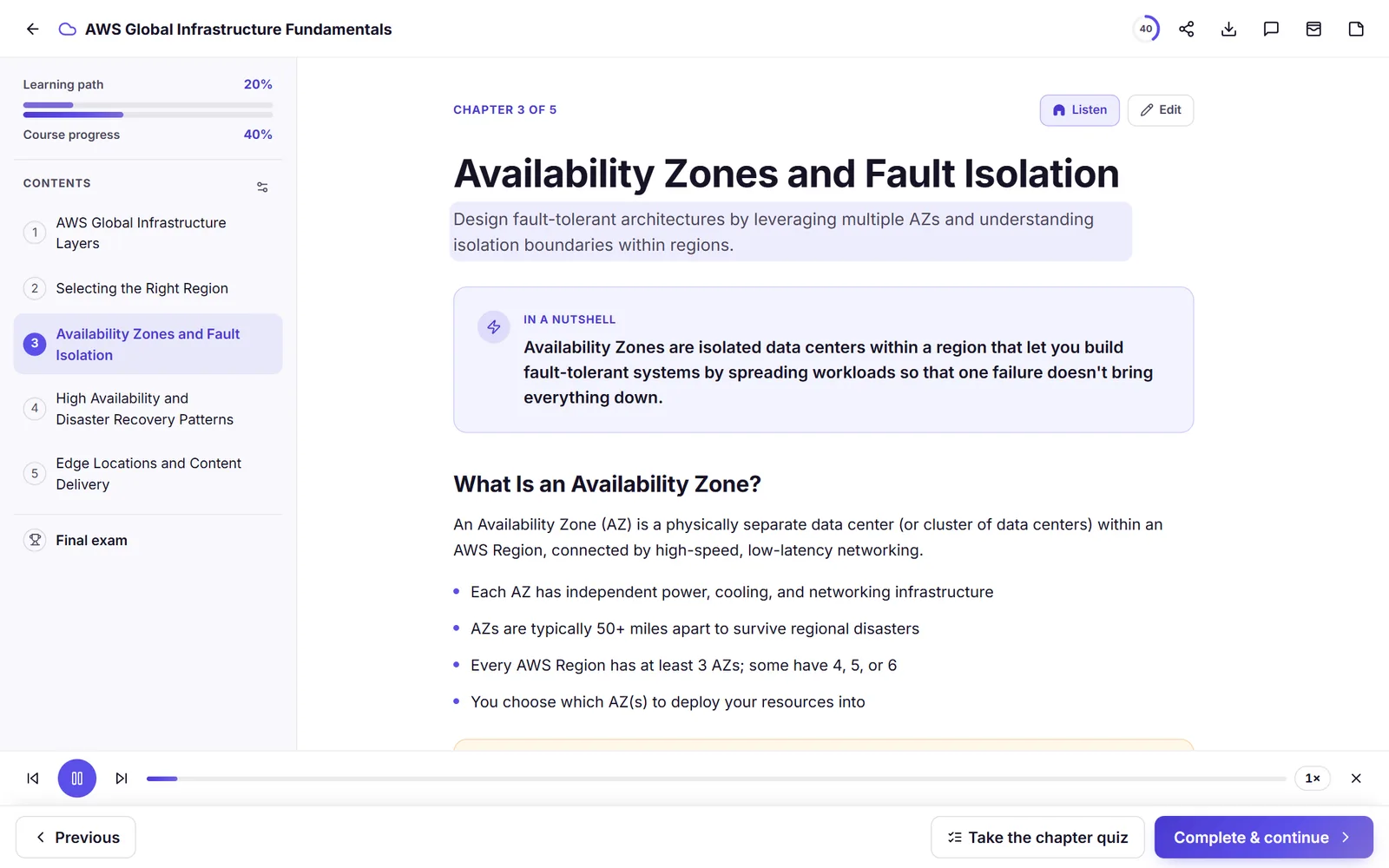
Open a chapter, press Listen, follow along, then test yourself so it sticks.
Open any chapter of a course: one Lernoa's AI built from your document or a topic, one you imported, or a ready-made certification course.
Lernoa prepares the audio the first time and plays it with the current passage highlighted. Every replay after that is instant.
Change the speed, follow the highlighted text, or control playback from your phone's lock screen.
Take the chapter quiz or review flashcards. Listening builds familiarity; recalling what you heard is what makes it stick.
Listen is narration of your course text in an AI voice. It is not a two-host podcast or a conversation, and the voice is synthetic, not a human reader.
Listening is a good way to meet material and a weak way to lock in details, so pair it with a quiz or flashcards afterwards. The blog post Learn by listening: when audio courses work and when they do not explains how.
Audio works for any course you can open: a course Lernoa's AI built for you, a course you imported, or a ready-made certification course.
For example, in a 5-chapter course the first chapter is free and chapters 2 to 5 cost 8 credits in total, once. After that every replay is free.
| What you listen to | Cost |
|---|---|
| The first chapter of every course | Free |
| Each further chapter of a course | 2 credits, once (about NZ$0.70); replays are free |
| Ready-made certification courses | Included at no extra cost |
Credits come in one-off packs: NZ$9 for 20 credits, NZ$21 for 60 and NZ$45 for 150 (US$5, US$12 and US$25). Purchased credits never expire, and there is no subscription for individual learners. Listening is optional: reading the course and the rest of studying stay free.
Yes. Press Listen on a chapter, or on a quiz question, and a natural AI voice reads it aloud with the text highlighted as it goes. You can change the speed and use lock-screen controls on your phone.
Audio for the first chapter of every course is free. Each further chapter costs 2 credits, once, and then replays for free. The ready-made certification courses include audio at no extra cost.
Narration works in 19 languages, and English has several accents to choose from.
No. It is narration of the course text in an AI voice, not a two-host podcast or a conversation. You hear the course read aloud.
Any course you can open: a course Lernoa's AI built from your document or a topic, a course you imported, or a ready-made certification course.
Yes. Lernoa has lock-screen controls for audio, along with adjustable speed and read-along highlighting.
Listening is a good way to meet material and a weak way to lock in details, so follow it with a quiz or flashcards. See the blog post on learning by listening.
Audio for the first chapter of every course is free. No subscription, no time limit.
Start free