Open a course or a document
Open a course you built or imported, or a PDF or Word document in your Learning Center.
AI study assistant
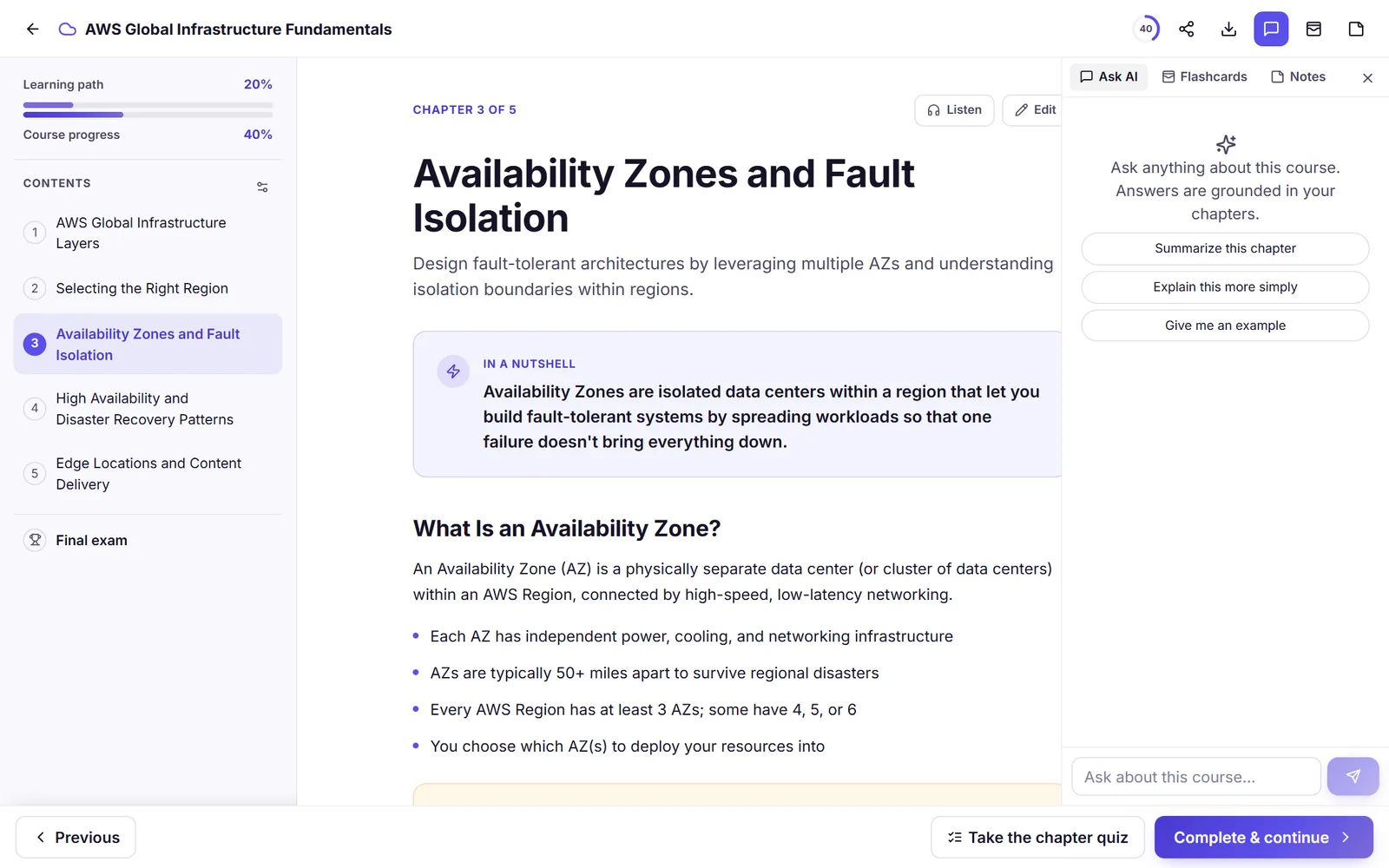
Ask a question about a Lernoa course or an uploaded PDF or Word document, and the AI answers from that material, with citations to the chapters or pages it used. It is free within a daily allowance, and it can be wrong, so follow the citations.
The AI answers only from your course or document. A general chatbot answers from everything it learned in training; this chat is built to answer from the file you gave it.
Answers cite the chapters or pages they used, so you can open the source and check it yourself.
Use it inside a course, or inside the viewer for a PDF or Word document you uploaded.
Not sure what to ask? Try prompts such as "Summarize this chapter", "Explain this more simply" or "Give me an example".
Asking questions is free within a daily allowance, with a counter that shows how many you have left. It does not use credits.
In the course reader the chat sits beside the Flashcards and Notes tabs, so your questions, flashcards and notes for a course are in one place.
Ask, check the source, then practise what you learned.
Open a course you built or imported, or a PDF or Word document in your Learning Center.
Type a question or tap a suggested prompt. Ask for a definition, a simpler explanation or an example.
Open the chapter or page the answer cites and read the source yourself.
Take the chapter quiz, or turn a passage into a flashcard and let spaced repetition schedule the reviews. Asking helps you understand; recalling helps you keep it.
The assistant is one part of a study loop. Use it to clear up a confusing passage, then test yourself: every chapter has a quiz, the course ends with a final exam graded on the server, and any passage can become a flashcard.
Flashcard reviews use spaced-repetition scheduling (SM-2 style, with learning steps), so each card comes back at a growing interval. Studying and reviewing are free. How the spaced repetition works
Asking questions about your own course or document is free within a daily allowance. Credits pay for AI generation, such as building a course or a deck, audio after a course's first chapter and one-off certification unlocks. Your first full AI course and your first AI deck are free once you verify your account.
Credits come in one-off packs: NZ$9 for 20 credits, NZ$21 for 60 and NZ$45 for 150 (US$5, US$12 and US$25). Purchased credits never expire, and there is no subscription for individual learners.
It is a chat built into Lernoa. Ask a question about a course or an uploaded PDF or Word document, and the AI answers from that material and cites the chapters or pages it used.
Yes. The chat answers only from the course or document you ask about, and shows where in it the answer came from, which makes the answer easy to verify.
Asking questions is free within a daily allowance, and a counter shows how many you have left. Asking does not use credits; credits pay for AI generation, such as building a course or a deck.
Yes. AI answers can sound sure and still be mistaken. Open the chapter or page the answer cites and read it yourself, and check anything critical against your original source.
It is not built as a general homework-answer service. It answers from your course or document so you can understand and check your own material. For something your material does not cover, use a textbook or ask your teacher.
A general chatbot answers from everything it learned in training. Lernoa's chat is built to answer from the file you gave it and to show where in that file the answer came from, which is easier to verify. See the blog post on asking AI questions about your documents.
No. Your prompts, documents, courses, decks and study history are not used to train AI models. See the privacy policy for the details.
Upload a PDF or open a course and ask. Asking is free within a daily allowance. No subscription, no time limit.
Start free