Every feature, shown for real
A walkthrough of the whole app, area by area, with real screenshots, so you know exactly what you get before you sign up.
Start freeTurn anything into a course
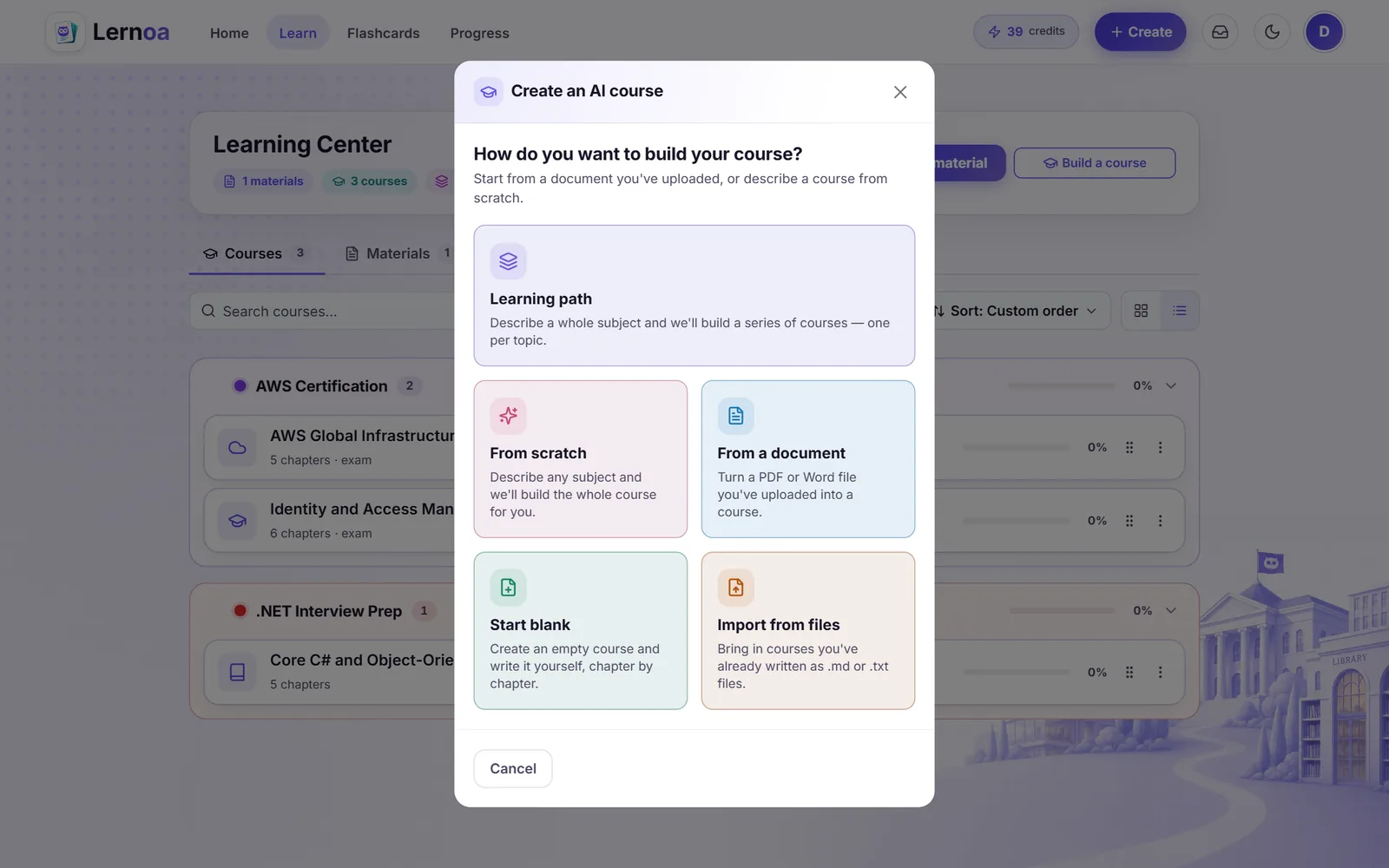
Upload a document or name a topic and Lernoa writes a structured course with chapters, quizzes, and a final exam.
Course from a document
Turn an uploaded PDF or DOCX into a chapter-by-chapter course tailored to what the file actually covers.
Course from a topic
Describe any subject with no source file and Lernoa builds a full course from scratch.
Whole learning path
Describe a subject once and Lernoa plans a series of focused courses, one per topic, then builds them for you.
Free tailoring wizard
Up to three quick questions about your goal, experience, and learning style shape a chapter-by-chapter plan you can reorder, edit, or ask to revise before a single credit is spent.
Choose the shape
Set the level, chapter count (auto or manual), and content depth (standard or extended), and toggle whether to include quizzes and a final exam.
Generate in nearly 30 languages
Build a course or deck in any of nearly thirty languages, from English and Spanish to Japanese, Arabic, and Hindi.
Durable background builds
Long learning-path builds run server-side with live progress, retry, and resume after you close the tab.
Import and export courses
Import courses from Markdown or text files, up to fifty at once, and export any course or a whole subject back to Markdown, free.
Study courses that actually explain
Read each chapter with summaries, analogies, and examples, then prove it with quizzes and a final exam.
Chapter reader
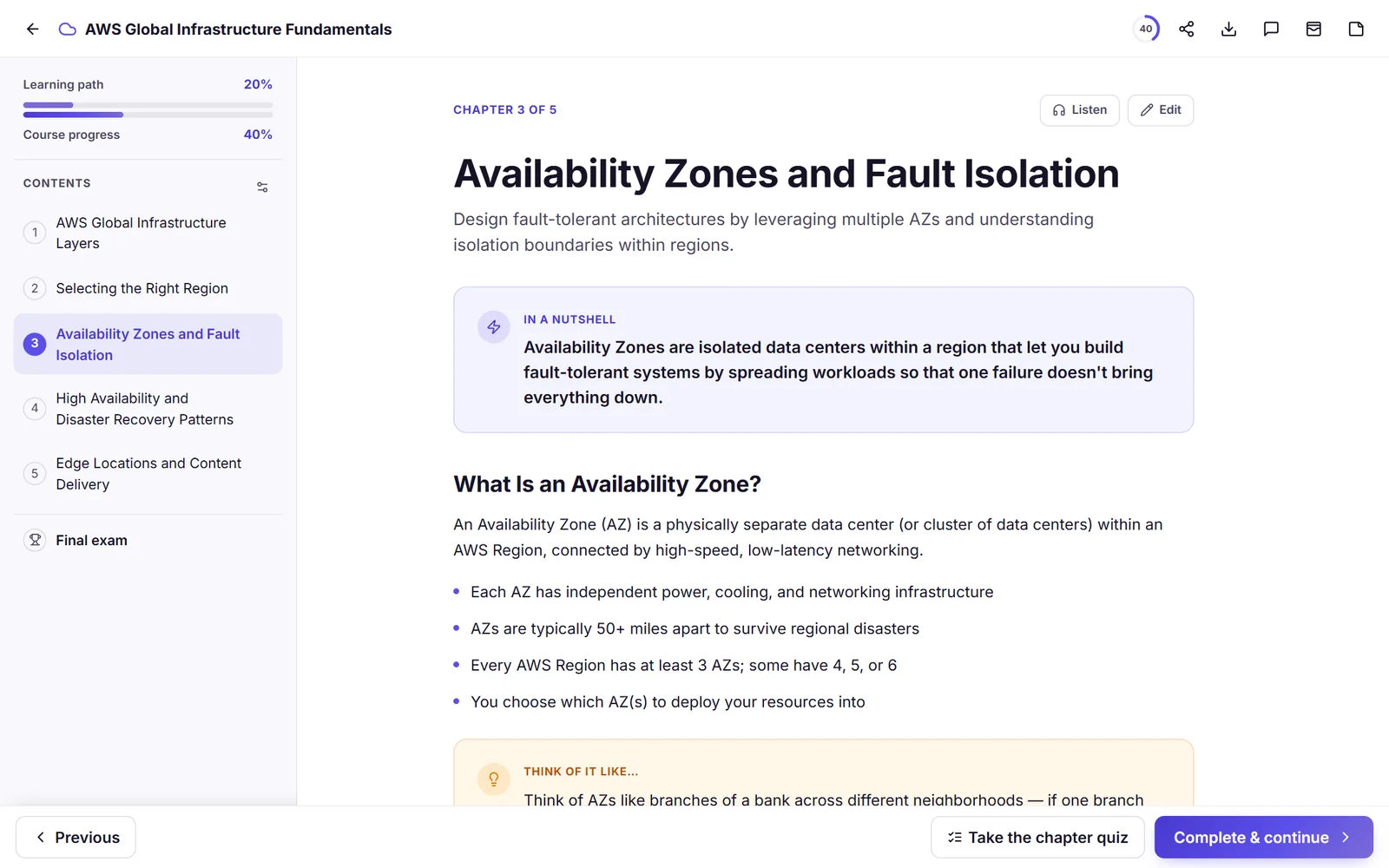
Move through a course chapter by chapter with a contents drawer, a progress ring, and mark-complete-and-next.
In-a-nutshell and analogies
Every chapter opens with a nutshell summary and weaves in analogies, examples, and key, tip, and warning callouts.
Per-chapter quizzes
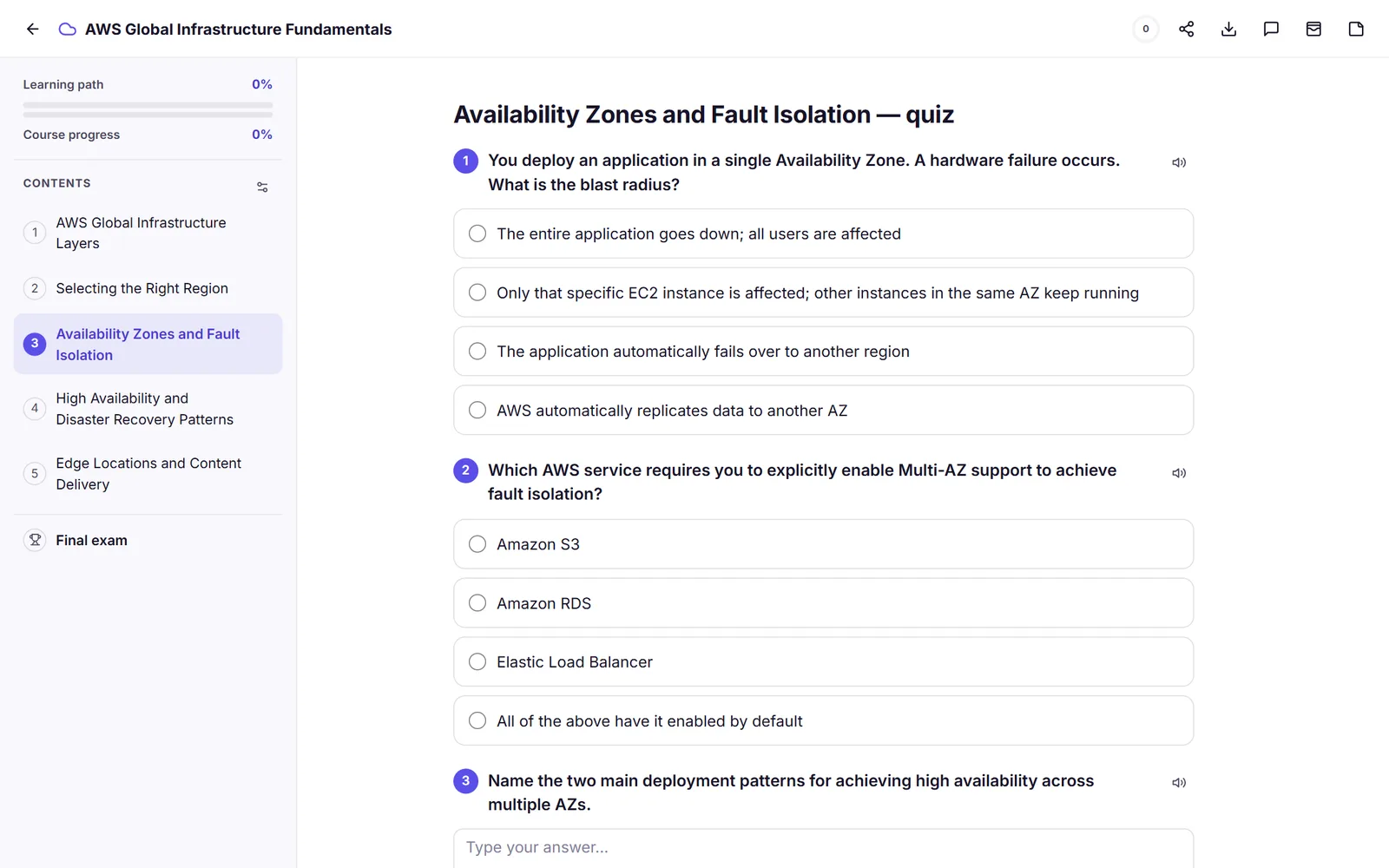
Single-choice and multi-select questions are graded server-side with explanations, a score, and retakes.
Final exam
A course-level exam with a pass or fail result, launched from the contents or after the last chapter.
Highlight and note
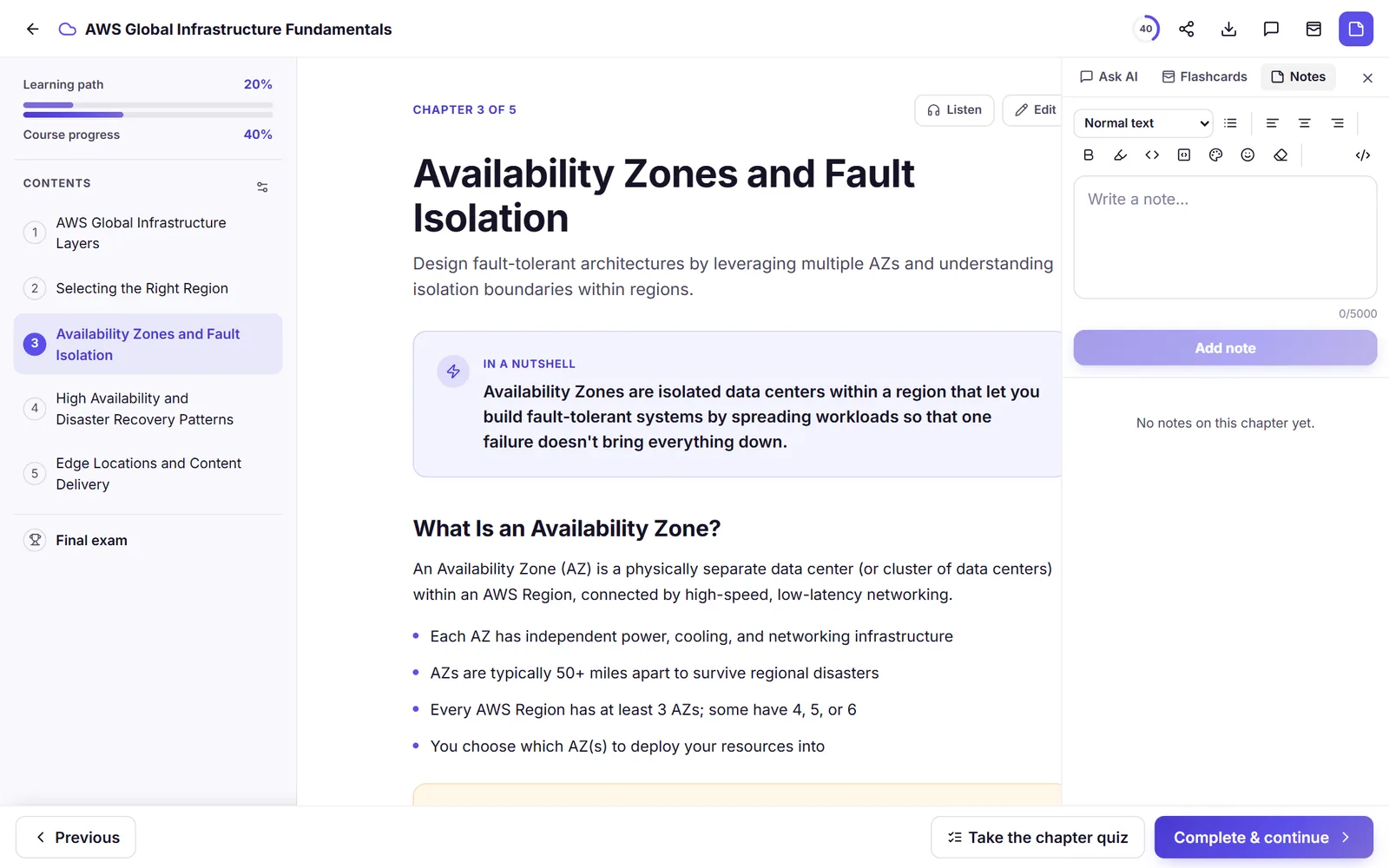
Select any passage to highlight it in four colors, add a note, or copy it, and review everything in a notes panel.
Chapter bookmarks
Bookmark any chapter and jump straight back to it from the table of contents.
AI chapter edit and add
Ask AI to revise the open chapter or write a new one from an instruction; preserve mode keeps your existing text and highlights intact, priced at one chapter.
Hand-edit any chapter
Rewrite a chapter's title, summary, or body yourself in a rich block editor, free, no credits and no AI involved.
Listen to courses and flashcards
Natural AI narration reads your chapters and cards aloud with read-along highlighting, and it is free.
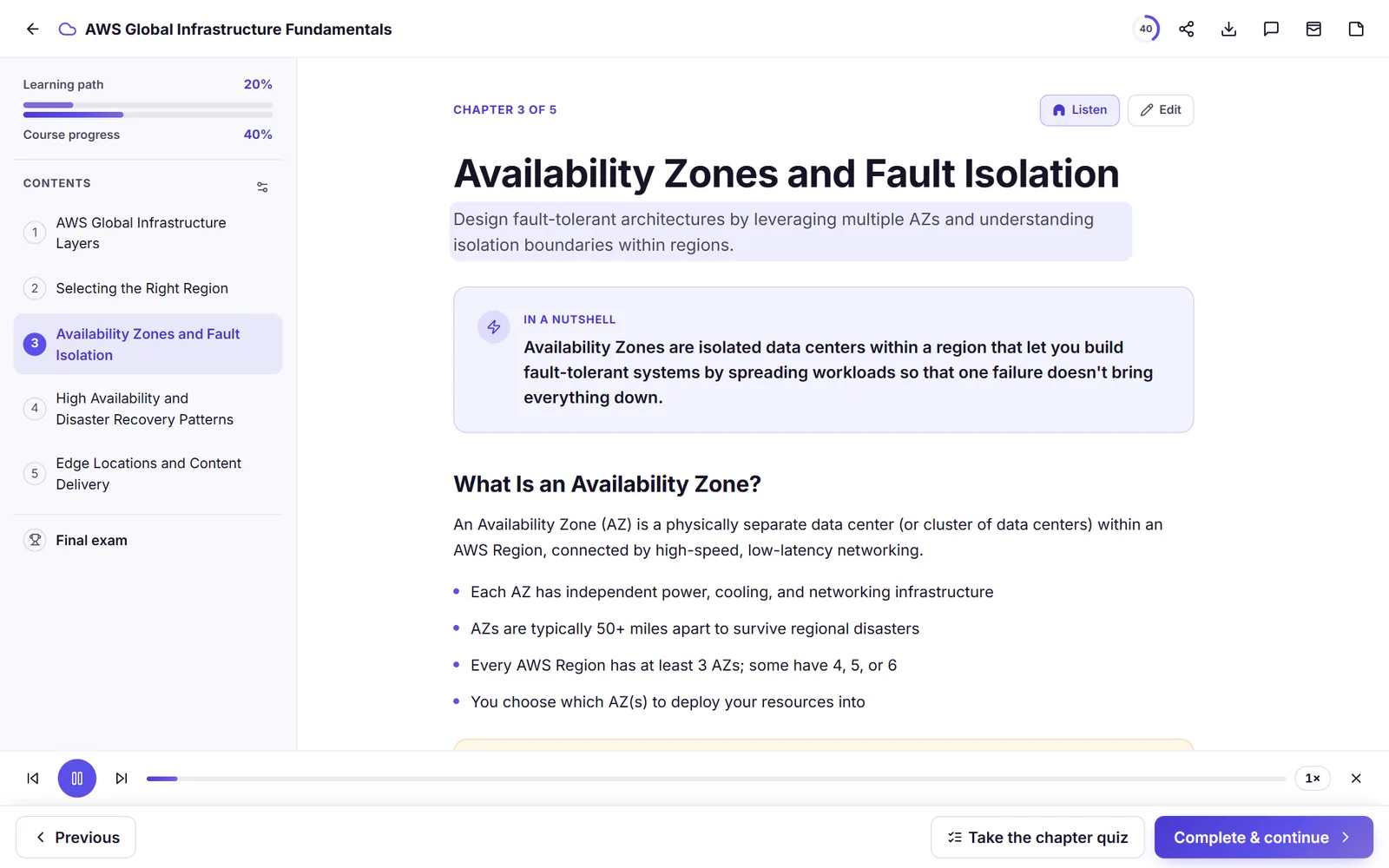
Read-aloud player
A docked player narrates the current chapter with play and pause, previous and next section, progress, and speed control.
Read-along highlighting
The text scrolls and highlights in sync with the narration so you can follow along as you listen.
Natural AI voices
Chapters are narrated with Amazon Polly voices and cached, so replaying a chapter is instant.
Accent picker
Choose your narration accent per language; English offers US, British, Australian, Irish, NZ, South African, and Indian voices.
Quiz read-aloud
Individual quiz questions can be read aloud too, not just chapter content.
Flashcard listen mode
Browse a deck hands-free: each card plays the question, a short pause, then the answer, and advances to the next card even with your phone locked.
Ask questions, grounded in your course
Chat with any course and get answers drawn only from its chapters, with citations that jump to the source.
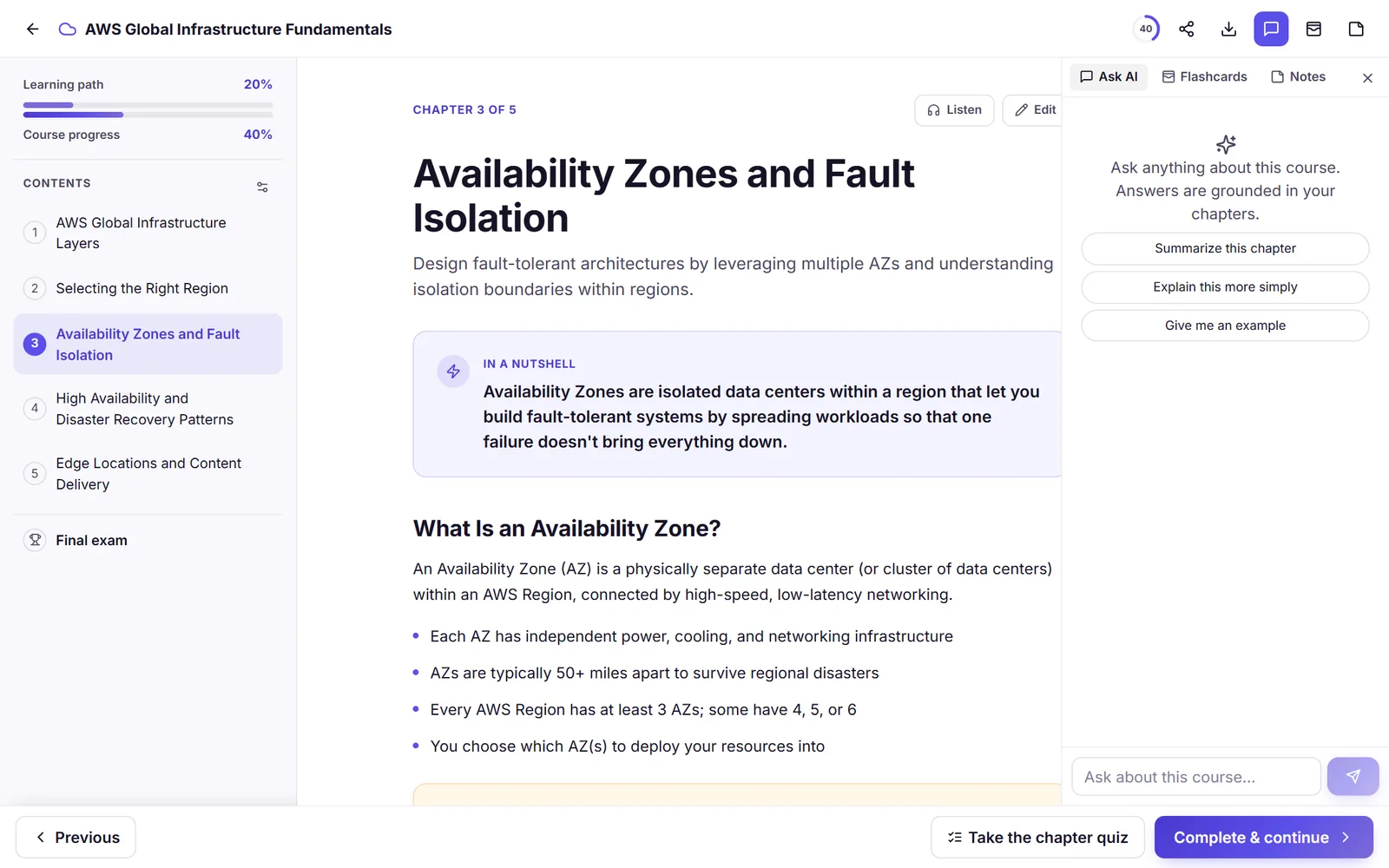
Ask this course
Chat with a course and get answers grounded in its chapters, with citation chips that jump to the right chapter.
Suggested prompts
Starter prompts appear before your first question to get the conversation going.
Selection-aware
Select a passage in the course and ask about it, and the answer stays focused on what you picked.
Free with fair use
Course chat is free, with a daily remaining-questions counter.
Works with Claude and ChatGPT
Connect your AI assistant to Lernoa over the Model Context Protocol and manage your whole study library by chat.
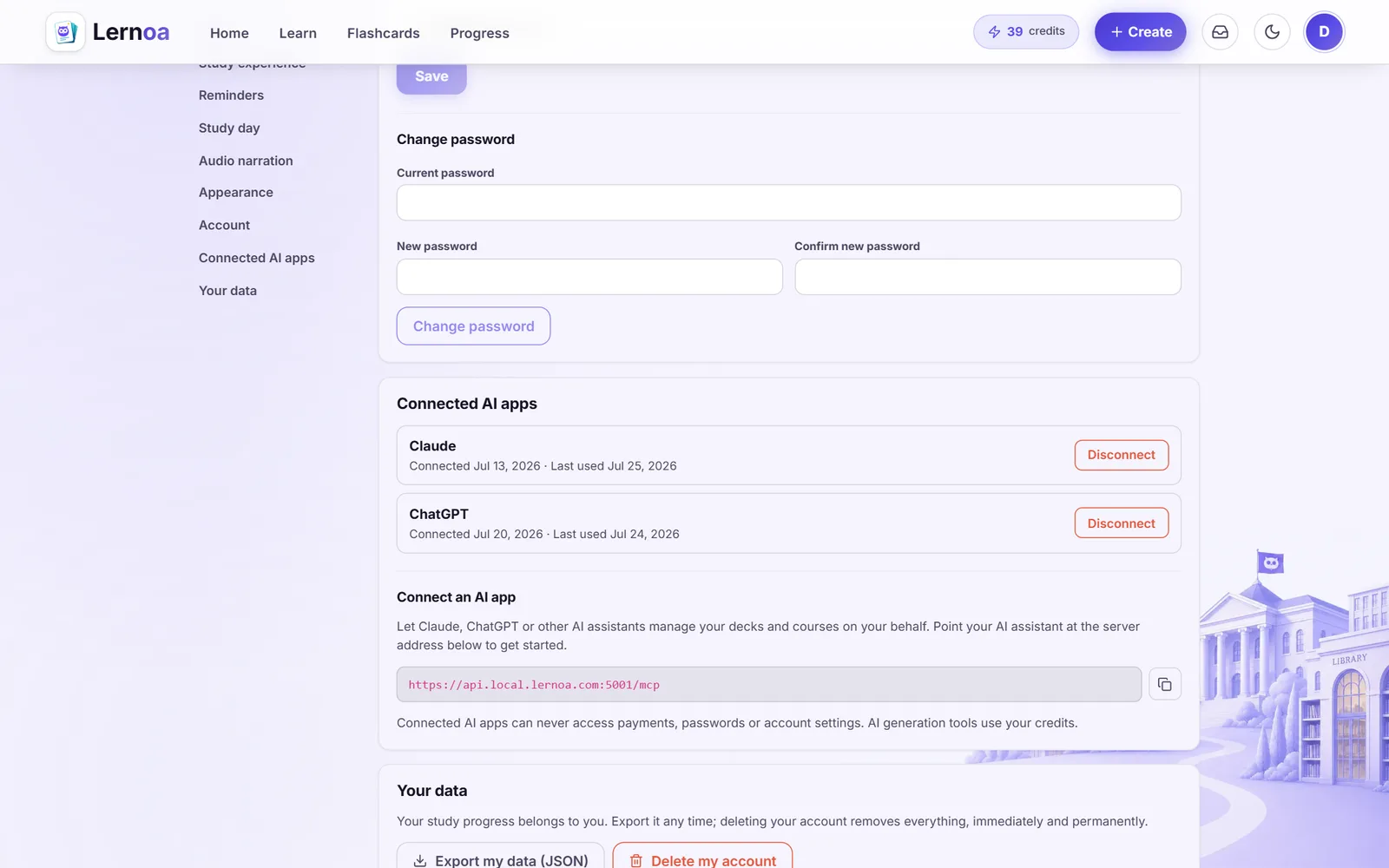
Connect any MCP client
Link Claude, ChatGPT, or any assistant that speaks the Model Context Protocol to your Lernoa account through its remote MCP server.
60 tools for your library
Your assistant can create and edit decks, cards, courses, chapters, notes, subjects, and materials, adjust study settings, and check your stats.
Generate from the chat
Ask your assistant to generate a deck or a whole course for you. Only AI generation spends credits; every other tool is free.
Search and fetch
Assistants can search across your decks, courses, materials, and subjects and pull in exactly the item they need.
Secure OAuth connection
You approve access on a Lernoa consent screen, no password is shared, and you can revoke any connection in Settings under Connected AI apps.
Hard limits by design
A connected assistant can never buy credits, change your email or password, delete your account, or sit a quiz or exam for you.
Your study library
Upload your PDFs and slides, read them in the app, and keep everything organized by subject.
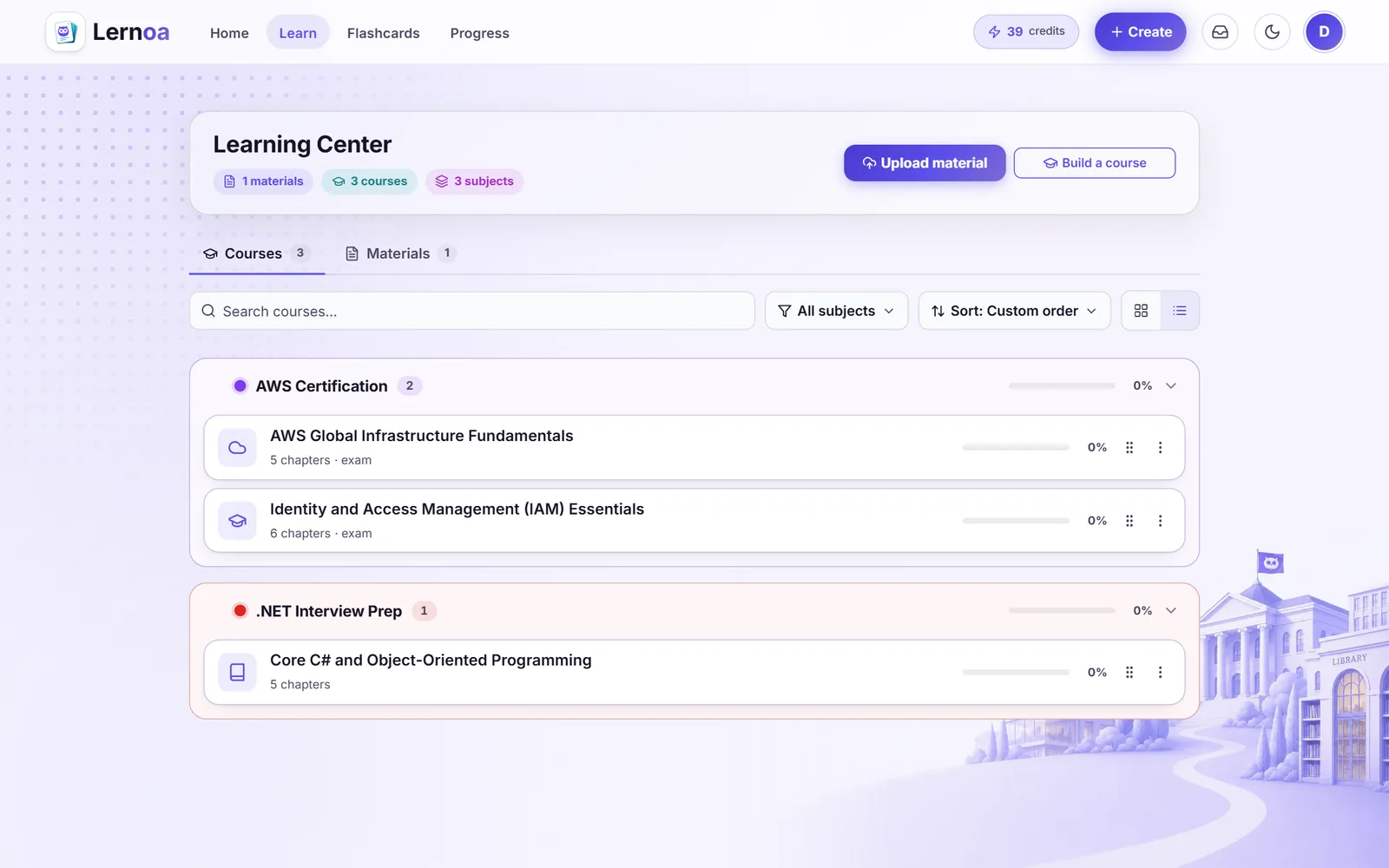
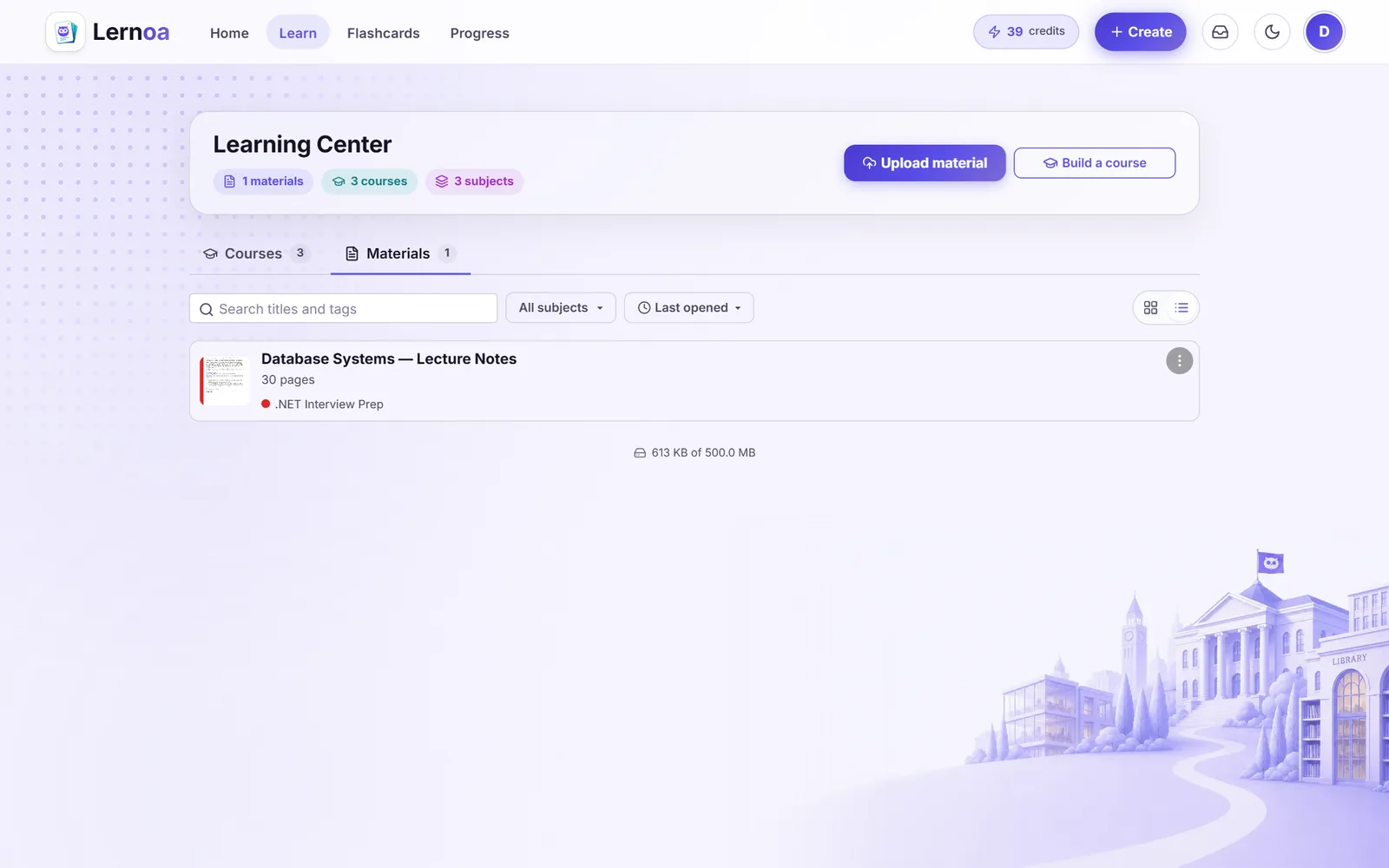
Upload PDF and DOCX
Drag in lecture slides, textbook chapters, or notes; Lernoa processes them and shows Queued, Processing, Ready, or Failed.
In-app reader
A pdf.js reader streams your document with selectable text, zoom, page navigation, and a download of the original.
Thumbnails and badges
Each document shows a thumbnail plus page count, percent read, deck count, and a scanned-document notice.
Search, sort, and views
Search materials and courses, sort by recent, last opened, title, or progress, switch between grid and list, and drag courses to reorder them within a subject.
Subjects
Group materials and courses into color-coded subjects you can create, rename, recolor, reorder, and delete without losing items.
Manage and retry
Edit title, subject, and tags, retry failed processing, download, or delete from a per-document menu.
Highlight, note, and bookmark
Highlight passages in the raw document in four colors, add page notes, and bookmark any page, right inside the reader.
Search inside the document
Find text across the whole document and jump straight to the page it appears on.
Ask this document
Chat with a material and get answers grounded in its pages, with citation jumps and a daily remaining-questions counter, free.
Reading modes
Switch between day, sepia, and night reading themes, and browse a page thumbnail grid or the document outline to jump around fast.
Build flashcards your way
Make cards by hand, import your old decks, or generate them with AI from a topic or a course passage.
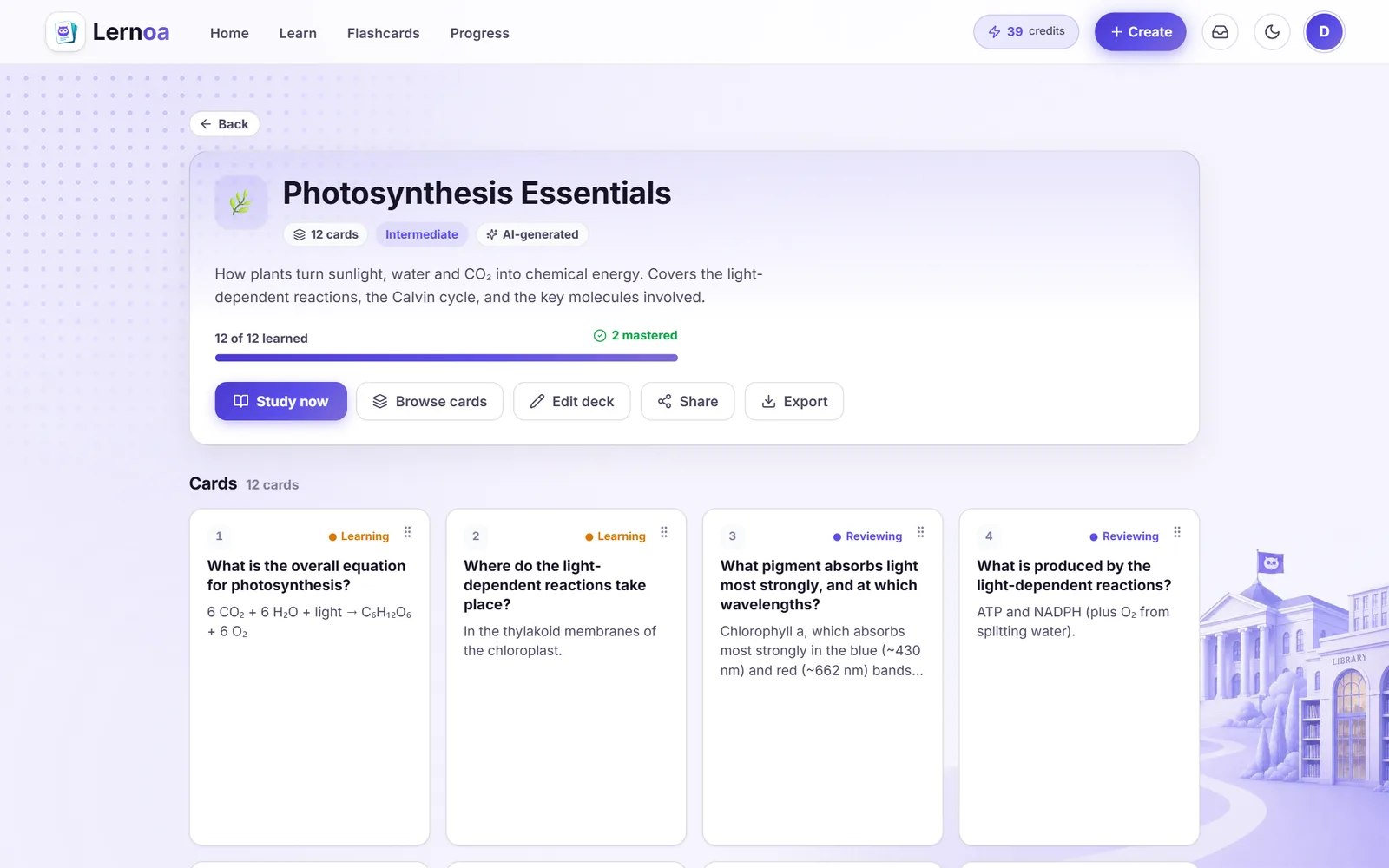
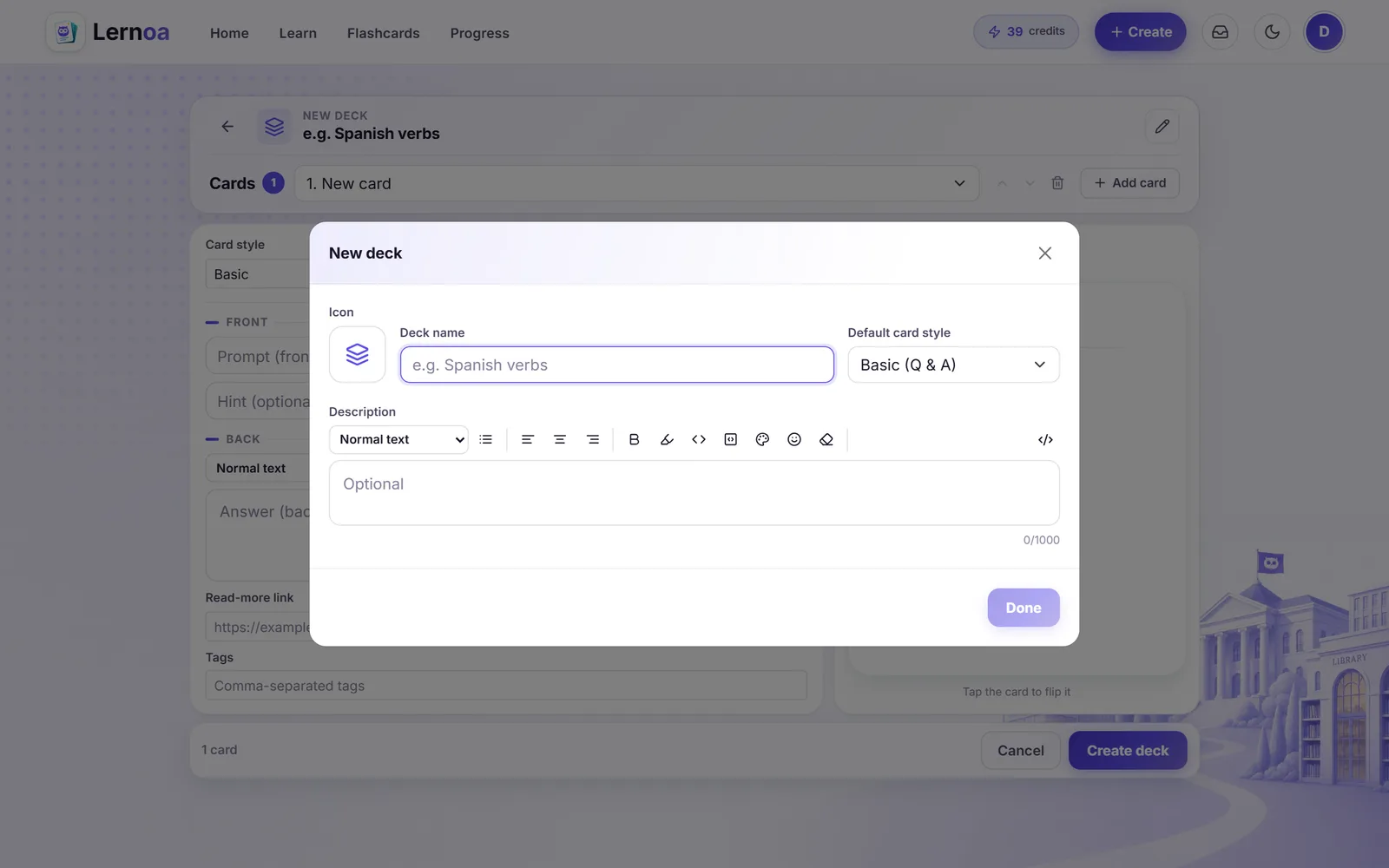
Manual deck builder
Create decks with names, descriptions, and emoji icons, and design each card in basic, concept, or interview style.
Rich cards
Add bold, code, highlights, colors, hints, analogies, key points, banner images with alt text, and read-more links.
Import CSV and Anki
Bring existing flashcards in from a .csv or Anki .apkg file straight into a new deck.
Export decks as CSV
Download any deck as a CSV file, per-card tags included, so your cards are never locked in.
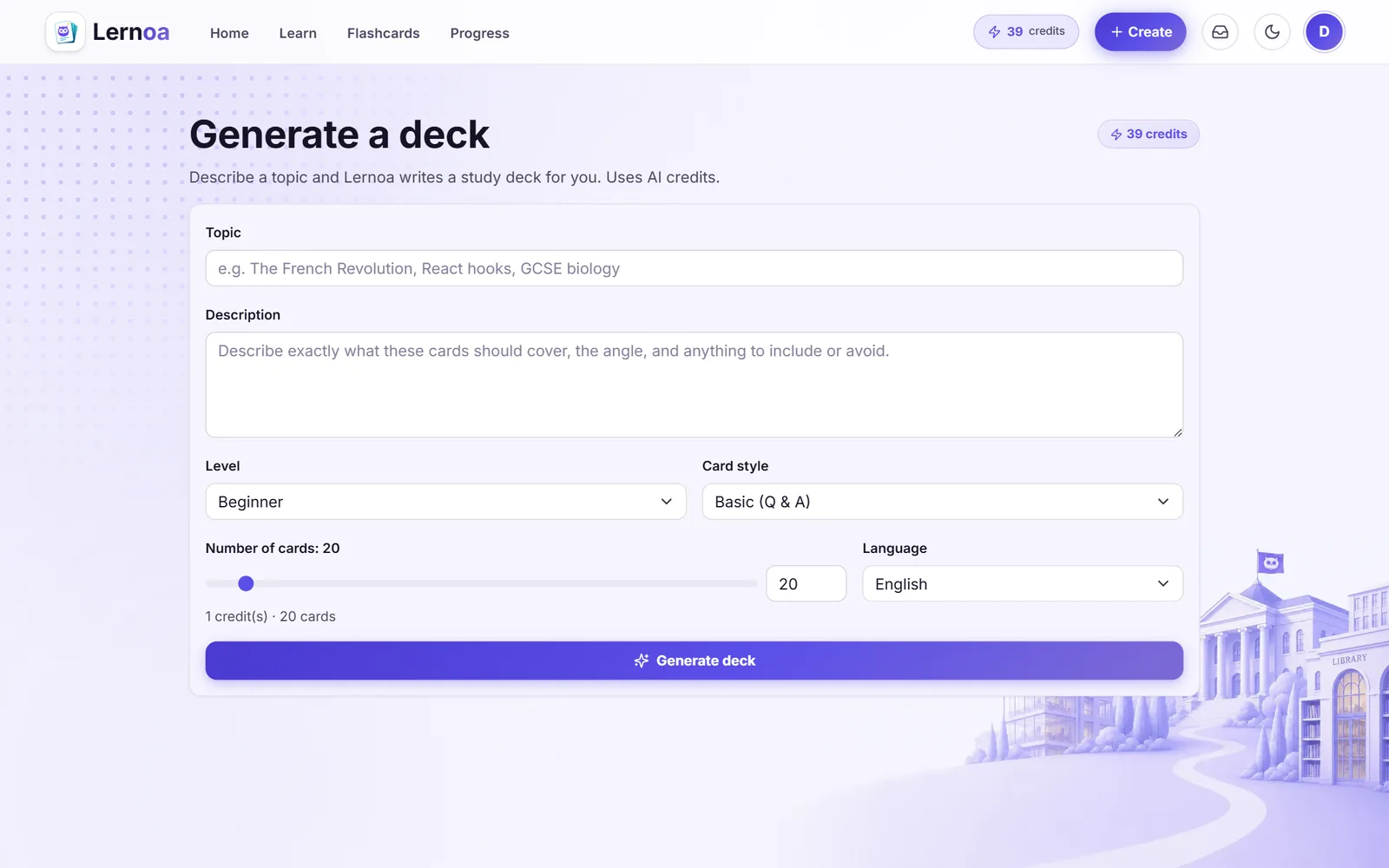
Generate a deck
Generate a deck from a topic and description, with level, style, card count, language, and a live credit estimate.
Cards from a course passage
Highlight a passage in a course and generate AI flashcards from it, into a new or existing deck, with a live credit estimate.
Make a card by hand
Select any passage in a course and turn it into a manual flashcard: the passage prefills the back, you write the question on the front, saved free to a new or existing deck.
Review before you keep
A review drawer shows the just-generated cards, flags likely duplicates, and lets you delete the weak ones before you save.
Cards from a document
Generate AI flashcards from a whole document, a page range, a selection, or your highlights, with level and card-style controls and a live credit estimate.
Make a card from a document
Select text in a document to prefill a manual flashcard's back, write the question, and save it free to a new or existing deck.
A spaced-repetition engine that adapts
Review with a proven scheduler that brings cards back at the right moment and retires what you have mastered.
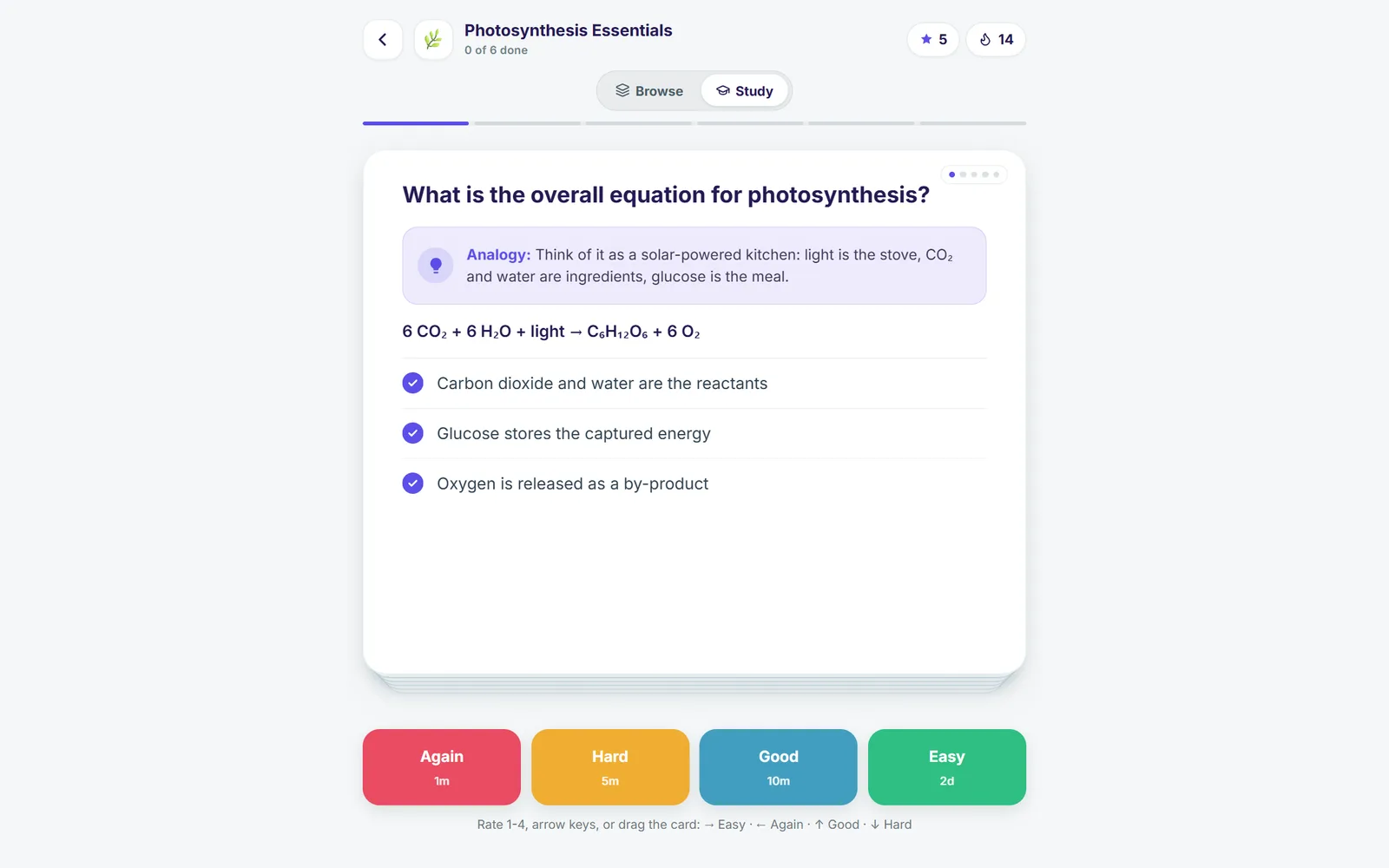
Rate and reveal
Tap to reveal, then rate Again, Hard, Good, or Easy by button, keyboard, or swipe, with next-interval previews.
SM-2 scheduling
An Anki-style SM-2 scheduler moves cards through learning, review, and relearning, with short in-session learning steps.
Adaptive retirement
Cards you reliably recall at a long interval retire automatically, so mastered material stops crowding daily reviews.
Review ahead and cram
When you are all caught up, cram the whole deck ignoring due dates.
Study-style presets
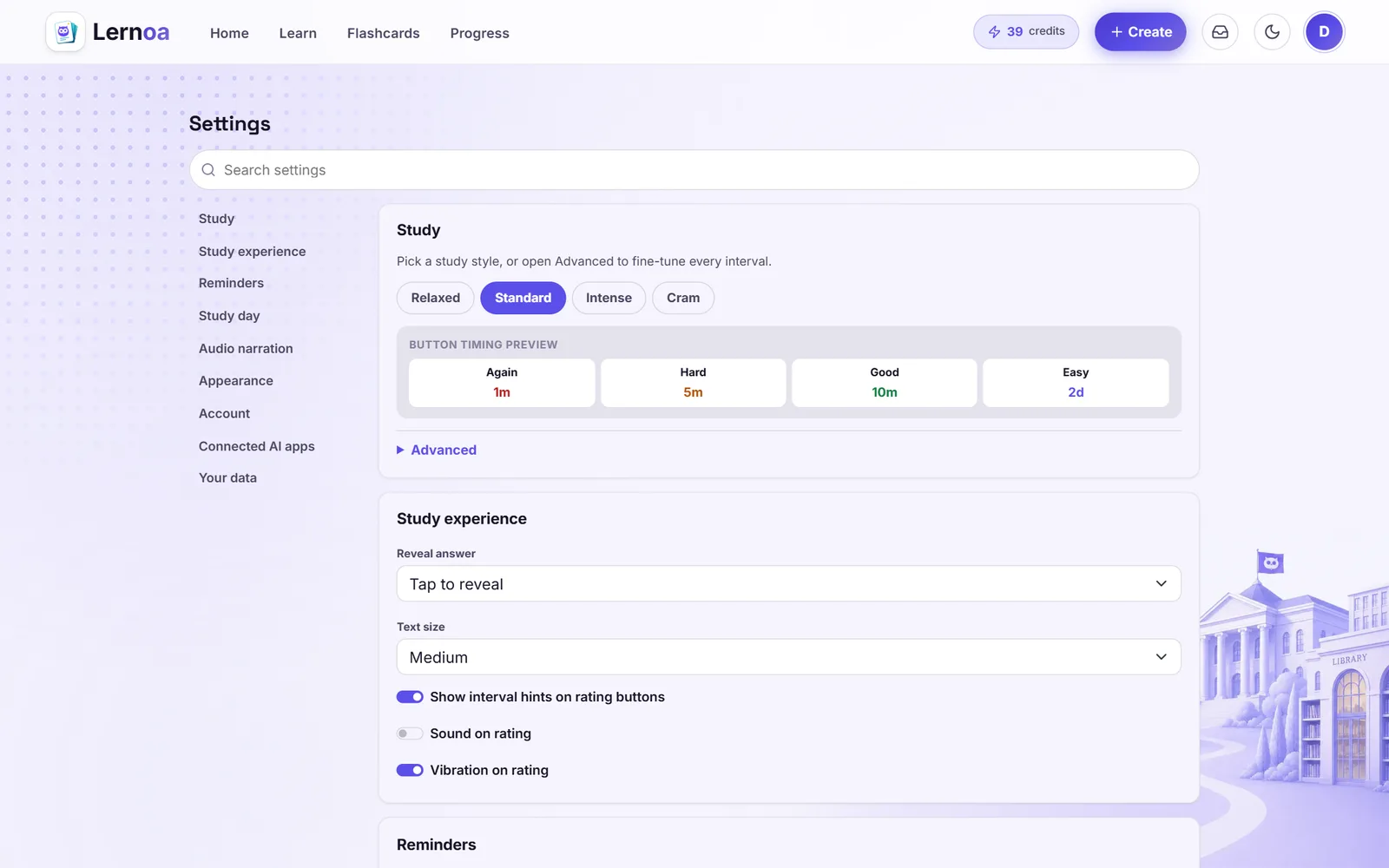
Pick Relaxed, Standard, Intense, or Cram, or hand-tune new cards per day, review caps, steps, ease, and intervals.
Tune the study experience
Scale card text size, switch between tap-to-reveal and auto-reveal, and toggle sound effects, haptics, and rating-button hints.
Day start hour
Choose the hour your study day rolls over so streaks and daily counts match your schedule.
See your progress and keep the streak
A daily hub and a full stats dashboard track your reviews, retention, mastery, and streak.
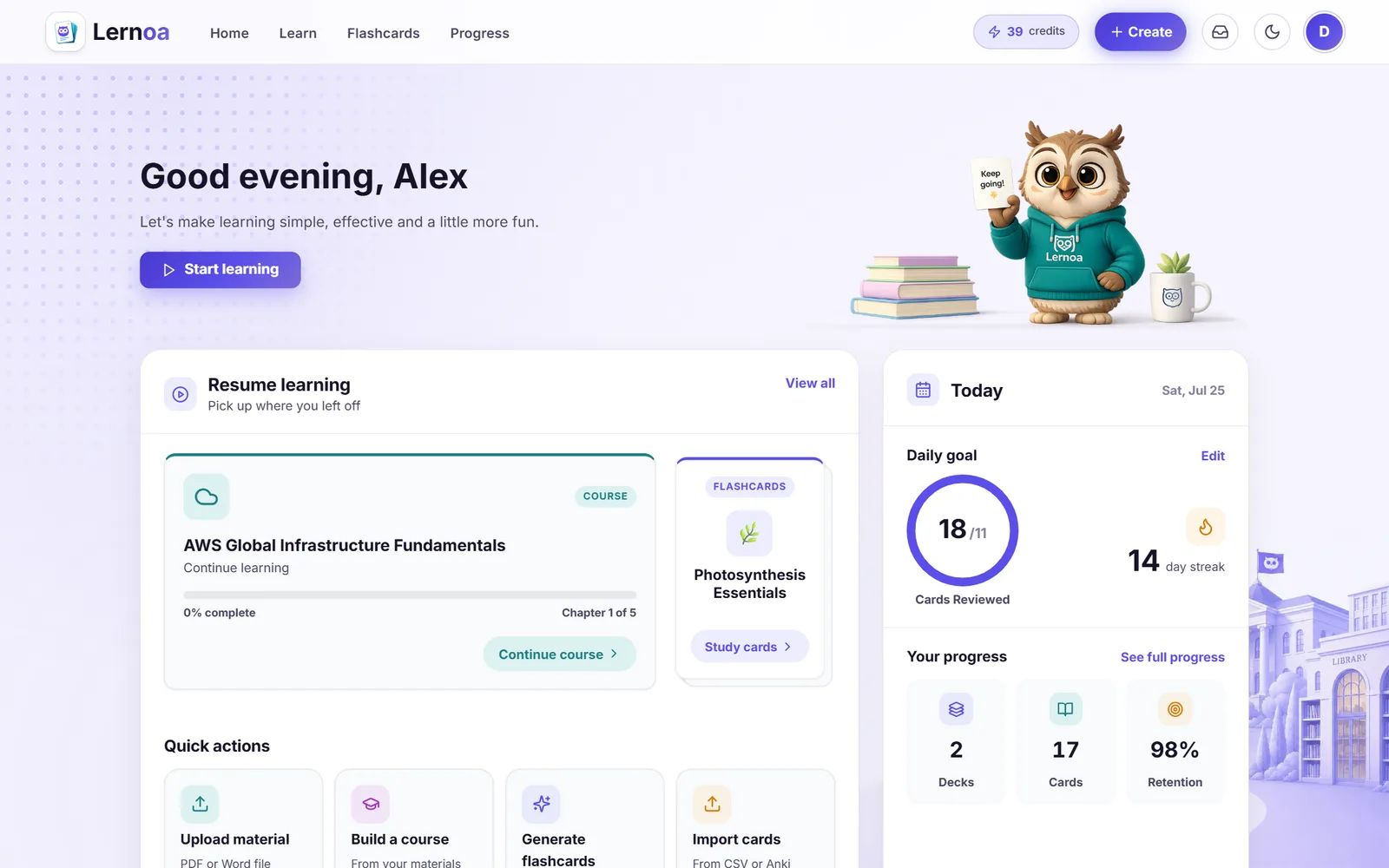
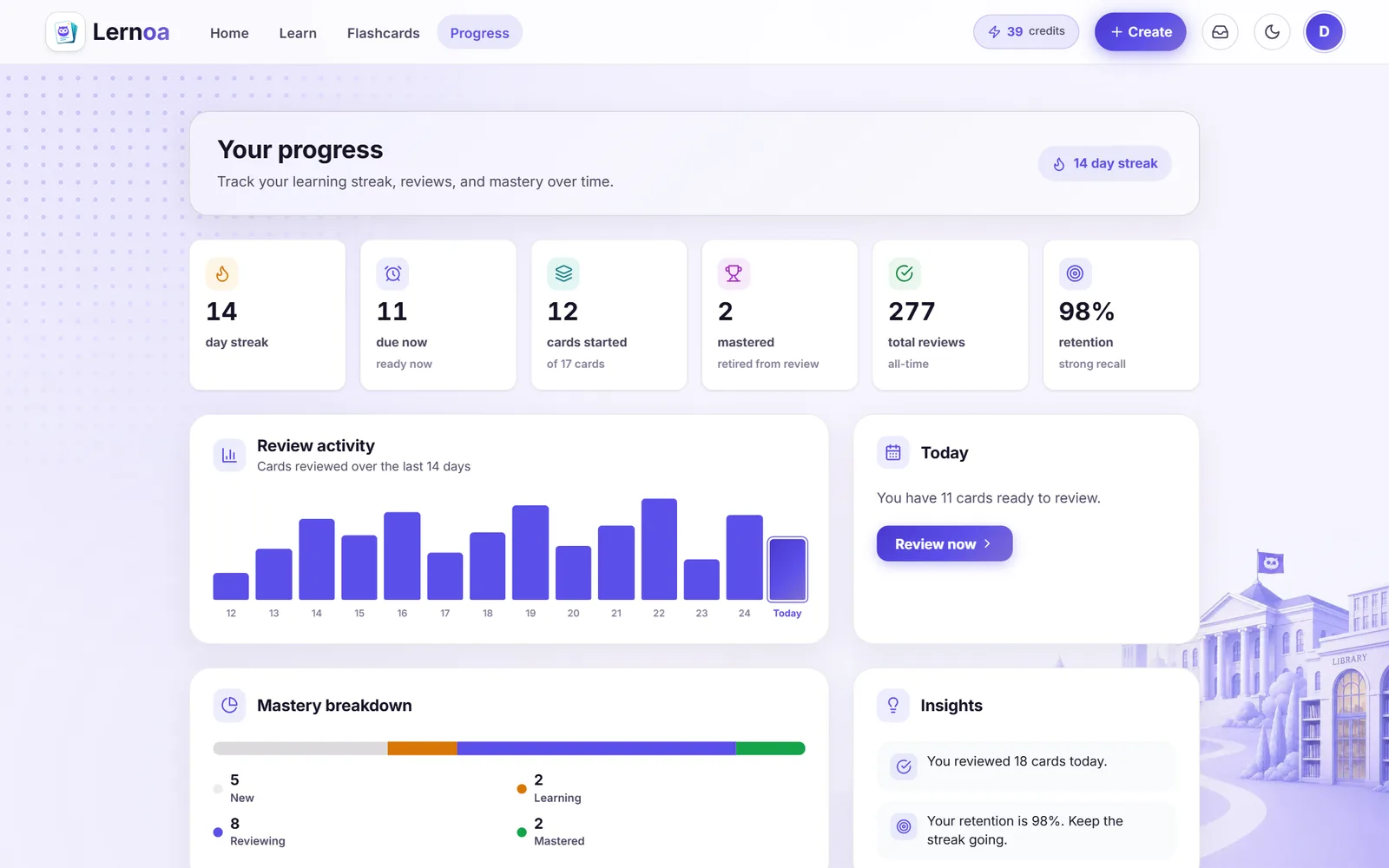
Today dashboard
A daily hub greets you with due count, streak, reviewed-today, retention, resume-learning cards, and quick actions.
Stats dashboard
Track cards started, mastered, total reviews, retention, and a 14-day activity chart with a mastery breakdown.
Streaks and daily goals
Daily new-card and review goals plus a consecutive-day streak that stays accurate across time zones and day-start hours.
Study reminders
Schedule local notification reminders at custom times and days, with streak-at-risk nudges on installed PWAs.
Per-deck workload
See due and new-remaining counts per deck, ordered by workload, with the due count shown on your app badge.
Yours on every device
Sign in your way, sync across devices, work offline, and install Lernoa like an app.
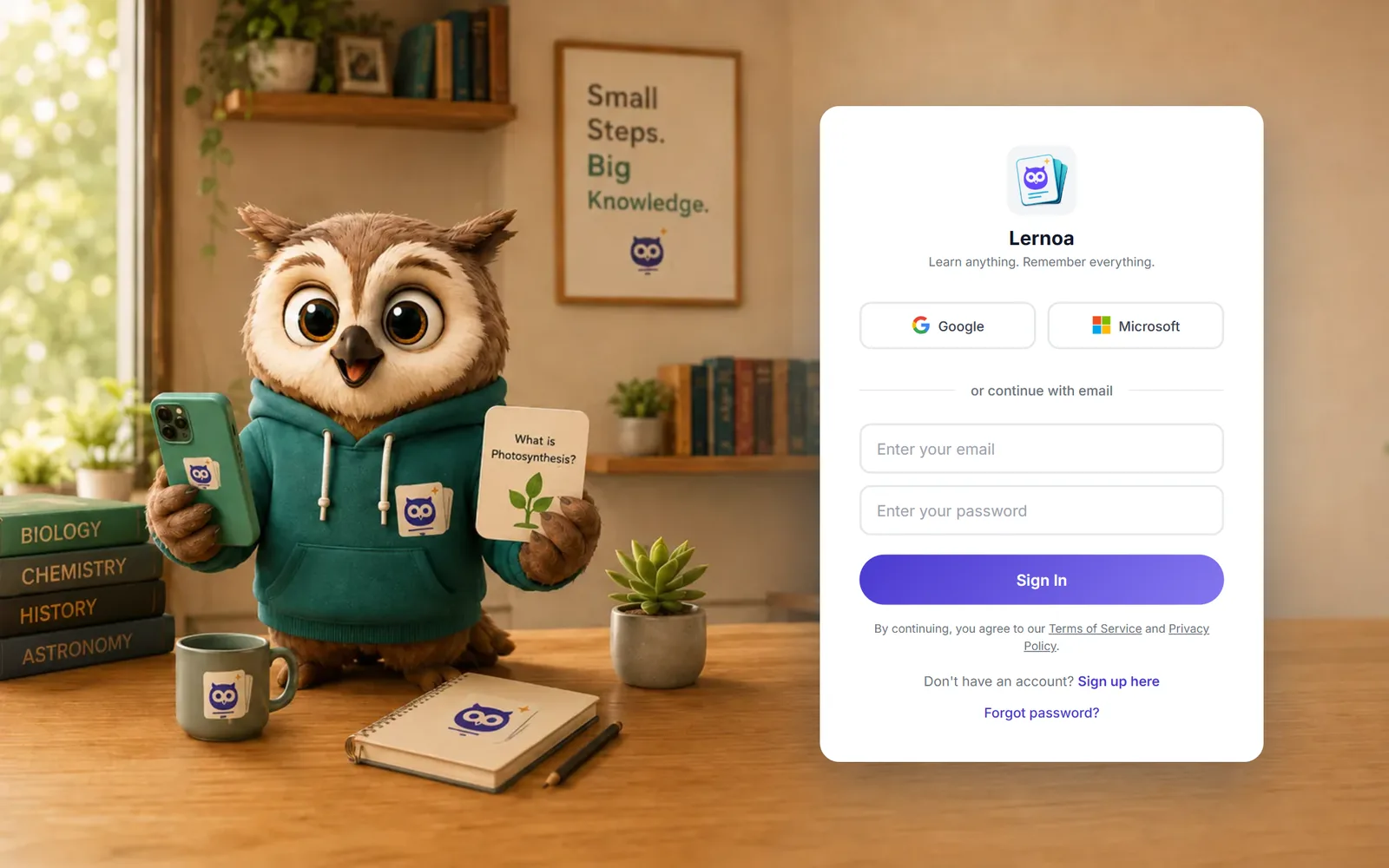
Flexible sign-in
Use email and password or Google and Microsoft sign-in, with email verification and forgot-password reset.
Cross-device sync
Your review state and study data sync across devices, server-authoritative and last-write-wins.
Works offline
A durable outbox saves reviews made offline or logged-out and syncs them the moment you reconnect.
Install as a PWA
Add Lernoa to your home screen on Chromium and iOS Safari for fast, app-like access.
Five interface languages and themes
Use the interface in English, Spanish, German, French, or Arabic (with a fully right-to-left layout), in light, dark, or system theme.
Export or delete
Export your study data as a JSON download, or permanently delete your account and everything in it.
Free to study, credits only for AI
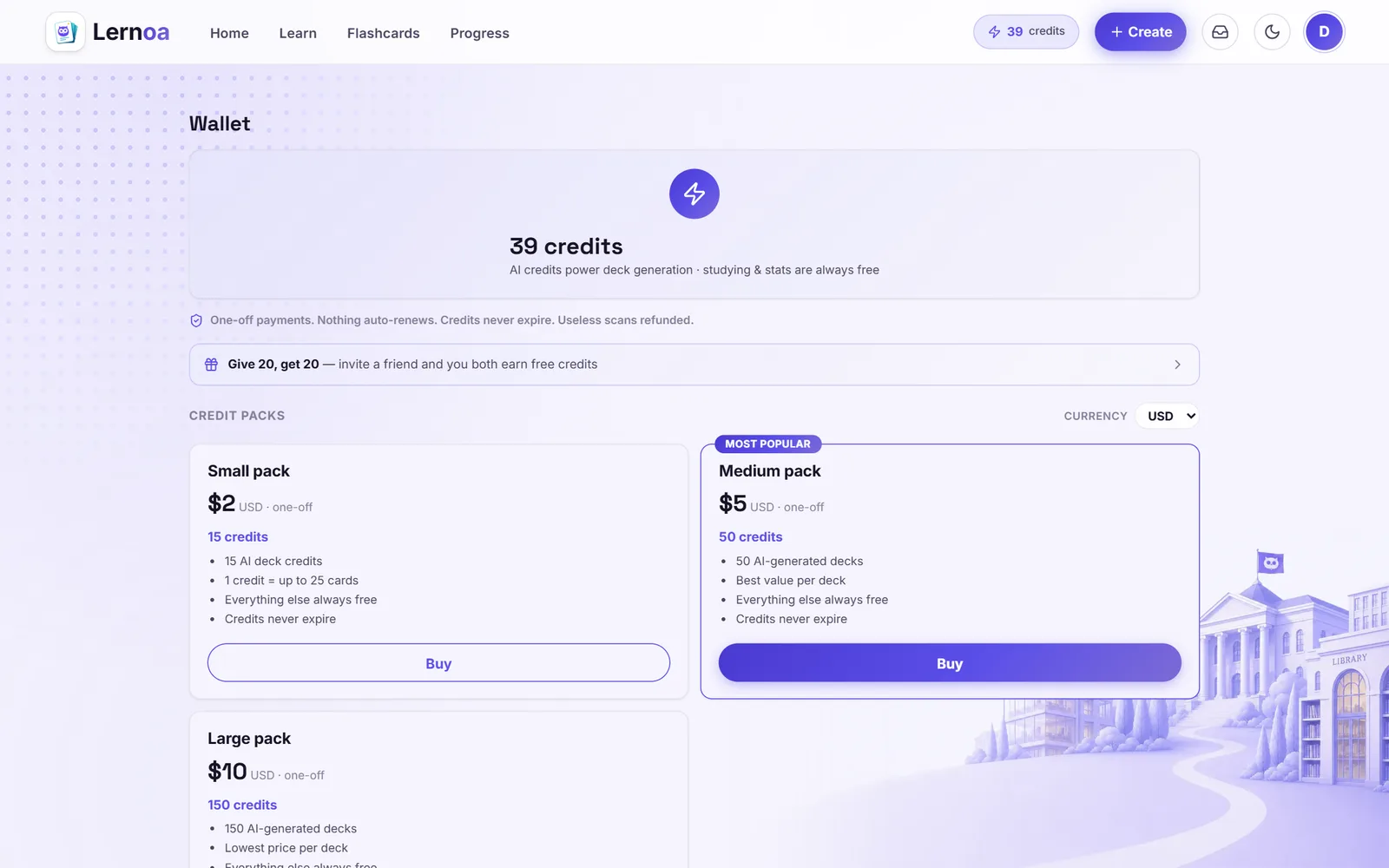
Everything you do by hand is free and unlimited. Credits pay only for AI generation, and they never expire.
Studying is always free
Reading, quizzing, listening, unlimited flashcards, the full spaced-repetition engine, stats, sync, import, sharing, and course and document chat cost nothing.
Free starter credits
Every account gets a one-time free Starter pack of credits to try AI generation, with no card required.
Credits only for AI
Only generating decks, courses, and cards from your material spends credits, priced by size.
One-off credit packs
Buy credit packs in multiple currencies whenever you need them, with no subscription that renews.
Credits never expire
Credits you buy stay in your wallet until you use them, however long that takes.
Wallet and history
See your live credit balance and a full history of your starter, referral, and purchased credits, with a display-currency selector.
Earn free credits
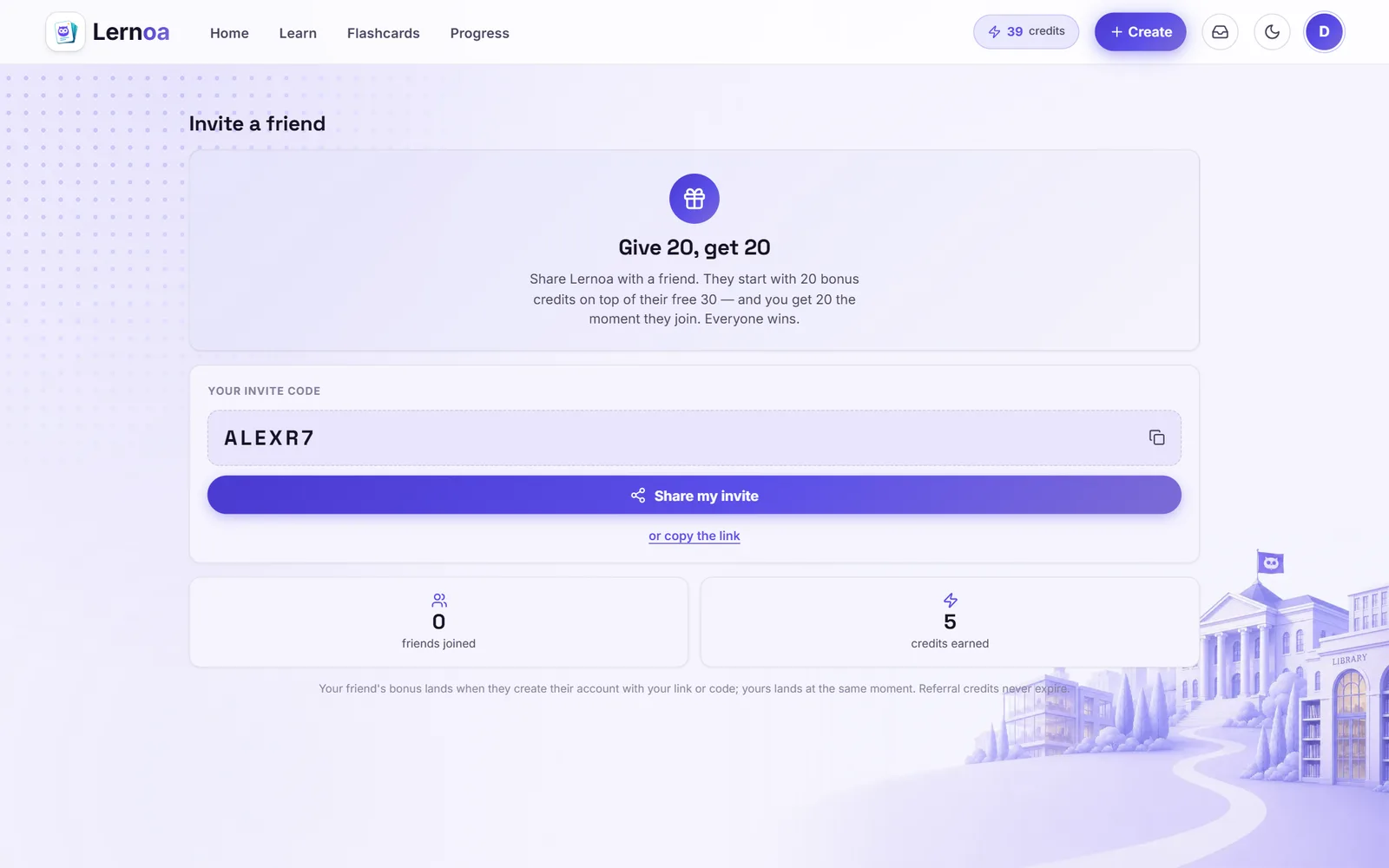
Invite a friend and you both earn bonus credits, or share a post about Lernoa on LinkedIn, X, Facebook or anywhere public and earn more. Find it under "Get free credits" in your menu.
See it as a dedicated page
Ready to actually learn it?
Build your first course in minutes, read it, quiz it, listen to it. Free to study, with 5 free credits to start. No card, no subscription, no catch.
Start learning free